A new page every day · color your peace

A calming adult coloring
app for iPad and iPhone.

pau. is a quiet coloring app for iPad and iPhone. Color hand-drawn pages with Apple Pencil and 57 real-feeling brushes, get new pages every Friday, and unwind without ads, accounts, or feeds.
iPad · iPhone · Apple Pencil Free to use · optional Premium No ads. No accounts.
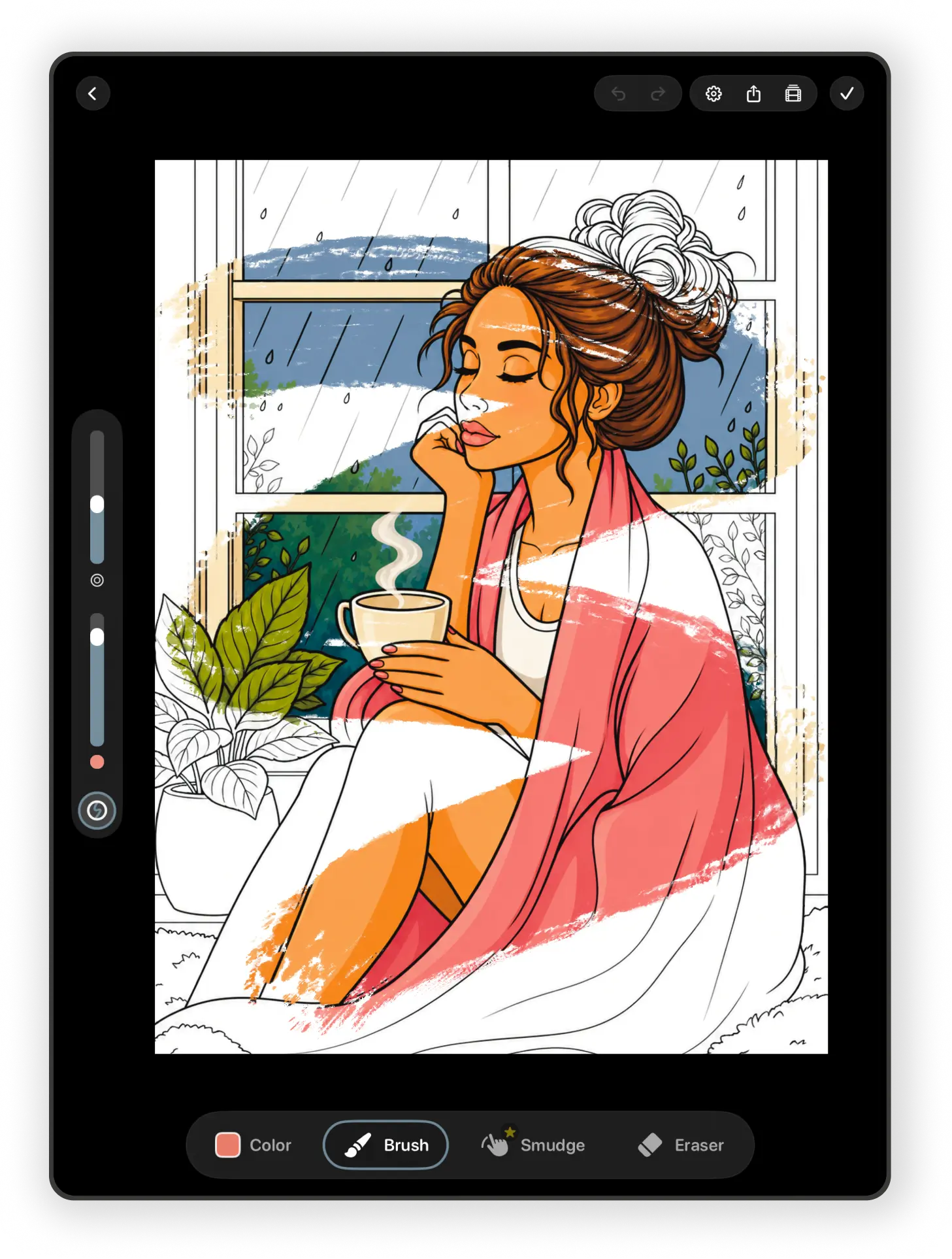
pau. coloring workspace on iPad showing a partially colored rainy-day illustration and drawing tools.
Made for iPad · now on iPhone · Apple Pencil
Why pau.

No notifications. No endless feeds. Just gentle coloring sessions designed to help your mind settle and your hands stay busy.

A coloring app that helps you slow down.

01 · Private by design

No ads.
No interruptions.

pau. stays quiet while you color. No popups, no attention traps, and no pressure to keep scrolling.

02 · Hand-drawn art

Thoughtfully
illustrated pages.

Every page is carefully drawn to feel calming, satisfying, and enjoyable to color at your own pace.

03 · Real brushes

Made for
Apple Pencil.

Strokes follow your Pencil’s pressure and tilt, with paper grain, wet watercolor edges, and paint that mixes like pigment.

Inside pau.

Built to feel calm
from the first tap.

01 · Color naturally Free

The essentials are ready from your first stroke.

Draw with Apple Pencil or your finger, fill whole regions, and adjust every stroke without turning the canvas into a control panel.
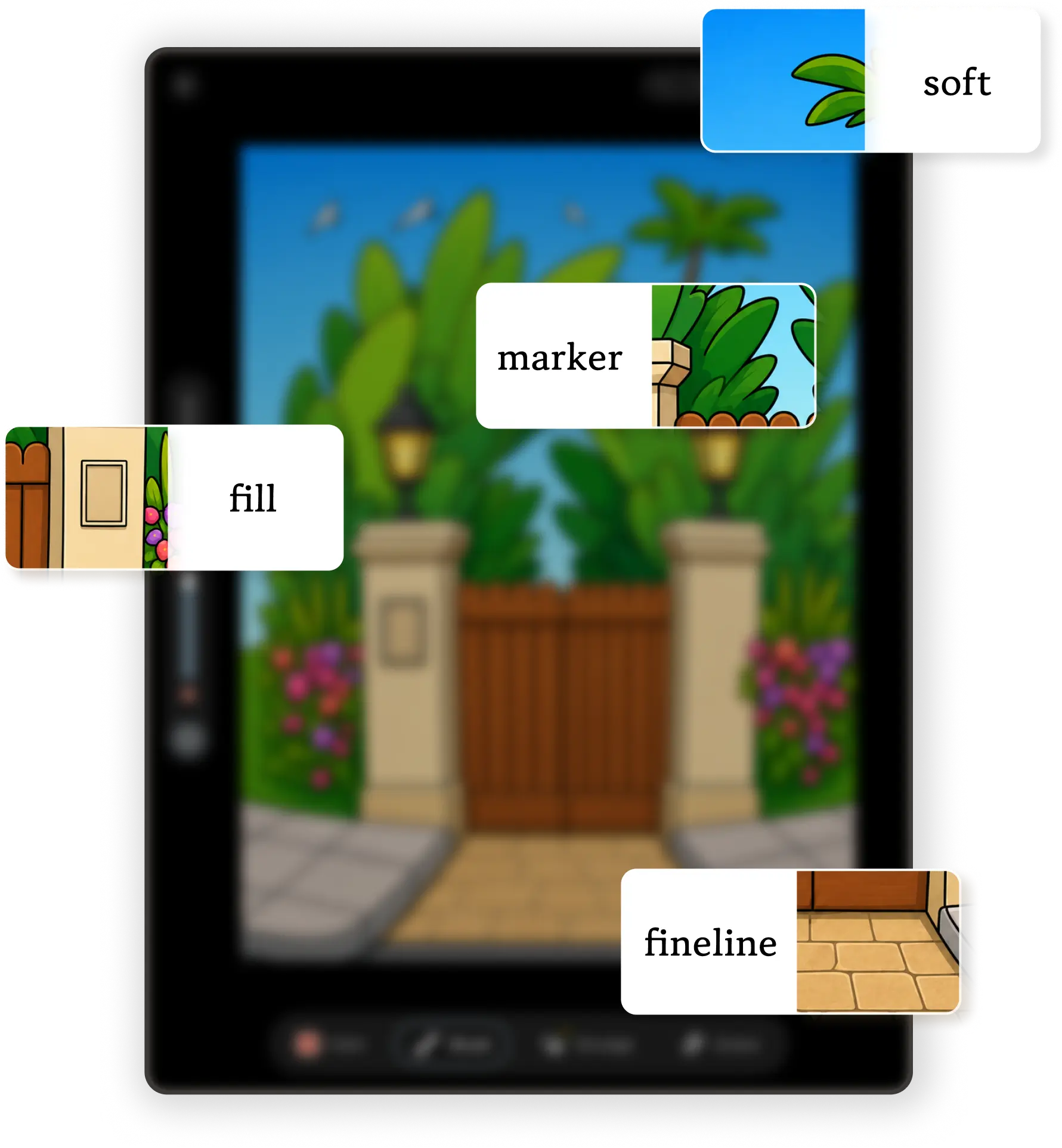
  • Fill plus Hard Round, Soft Round, Fineliner, and Marker, free
  • Undo, redo, size, opacity, eyedropper, and recent colors
  • Optional finger drawing and two-finger undo
  • Stay-inside-the-lines region clipping and an outline-opacity slider
Explore the Apple Pencil canvas →
pau. free Fill, Soft Round, Marker, and Fineliner tools shown over artwork on iPad.
02 · Go deeper Premium

A natural-media studio when you want more.

Move beyond the free essentials with 53 more brushes and three Blend tools. Watercolor bleeds at its edges, glazes build in layers, and paint picks up the color already on the page.
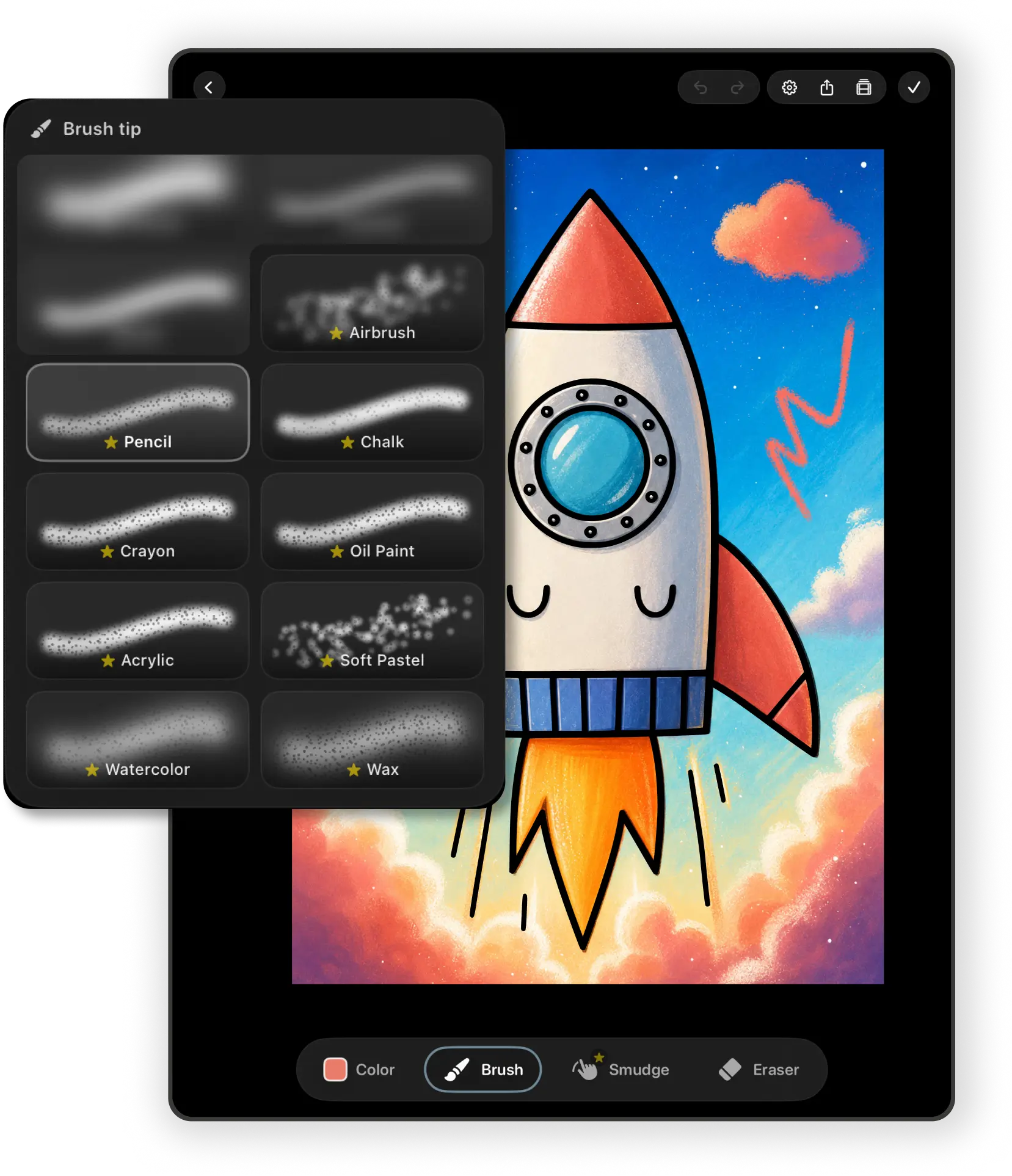
  • Pencils, charcoal, ink, gouache, oils, watercolor, and textures
  • Gouache Blender, Textured Blender, and Watery Brush
  • Brush library with Favorites, Recent, and stroke previews
  • Premium, or a one-time unlock if you’d rather not subscribe
pau. Premium brush picker over a colorful rocket illustration on iPad.
03 · Find the right colors

Start with a palette, then make it yours.

Use colors chosen for the illustration, revisit recent shades, or sample directly from the canvas. Premium adds reusable custom palettes and colors extracted from a photo.
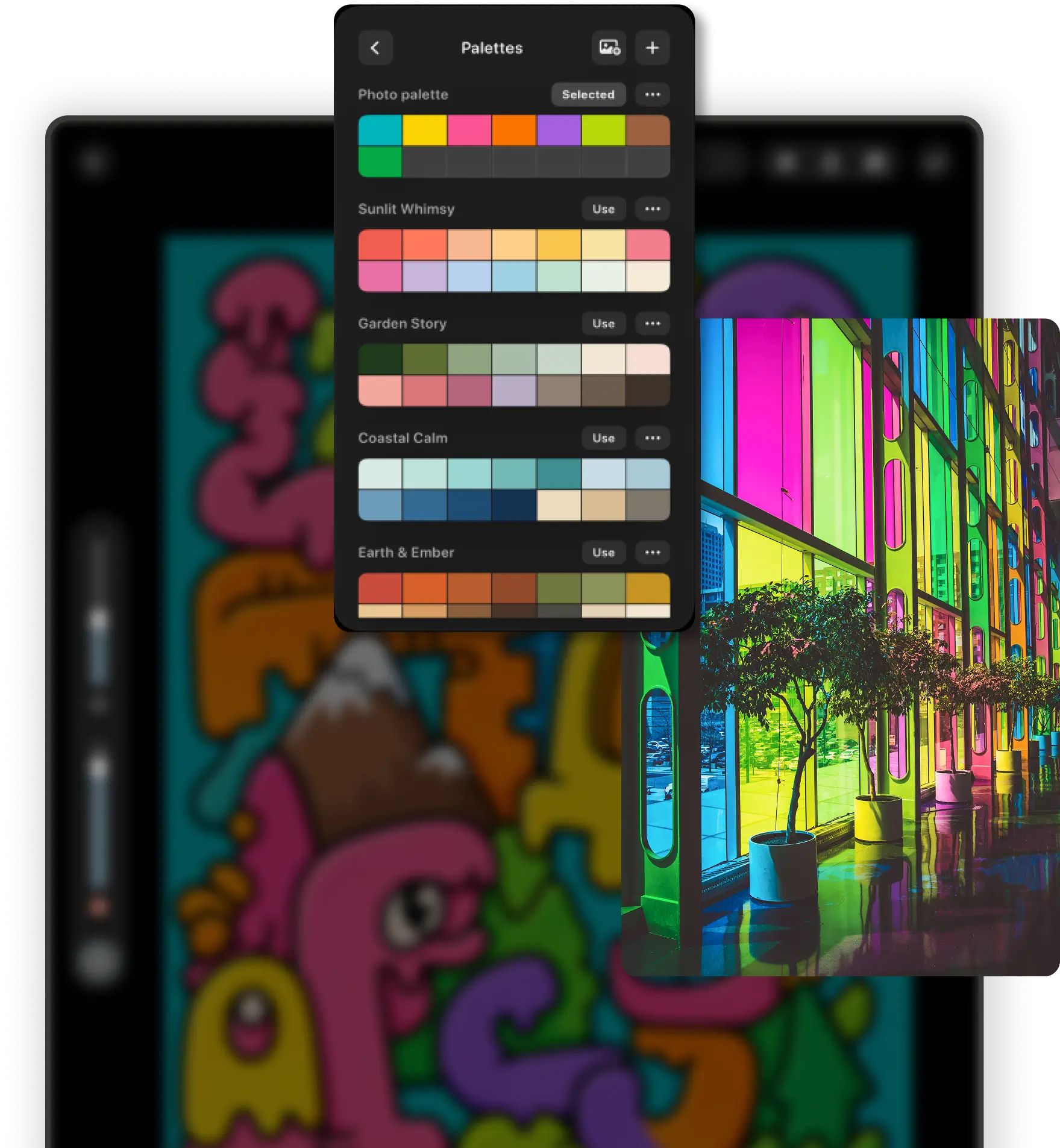
  • Curated and page-specific palettes
  • Color wheel, recent colors, and eyedropper
  • Editable custom palettes with Premium
  • Create a palette from a photo with Premium
pau. palette manager and a photo-derived color palette over artwork on iPad.
04 · Never lose your place Free

Your works stay organized while you color.

Pick up where you stopped, save pages for later, and see finished work without building folders or managing files.
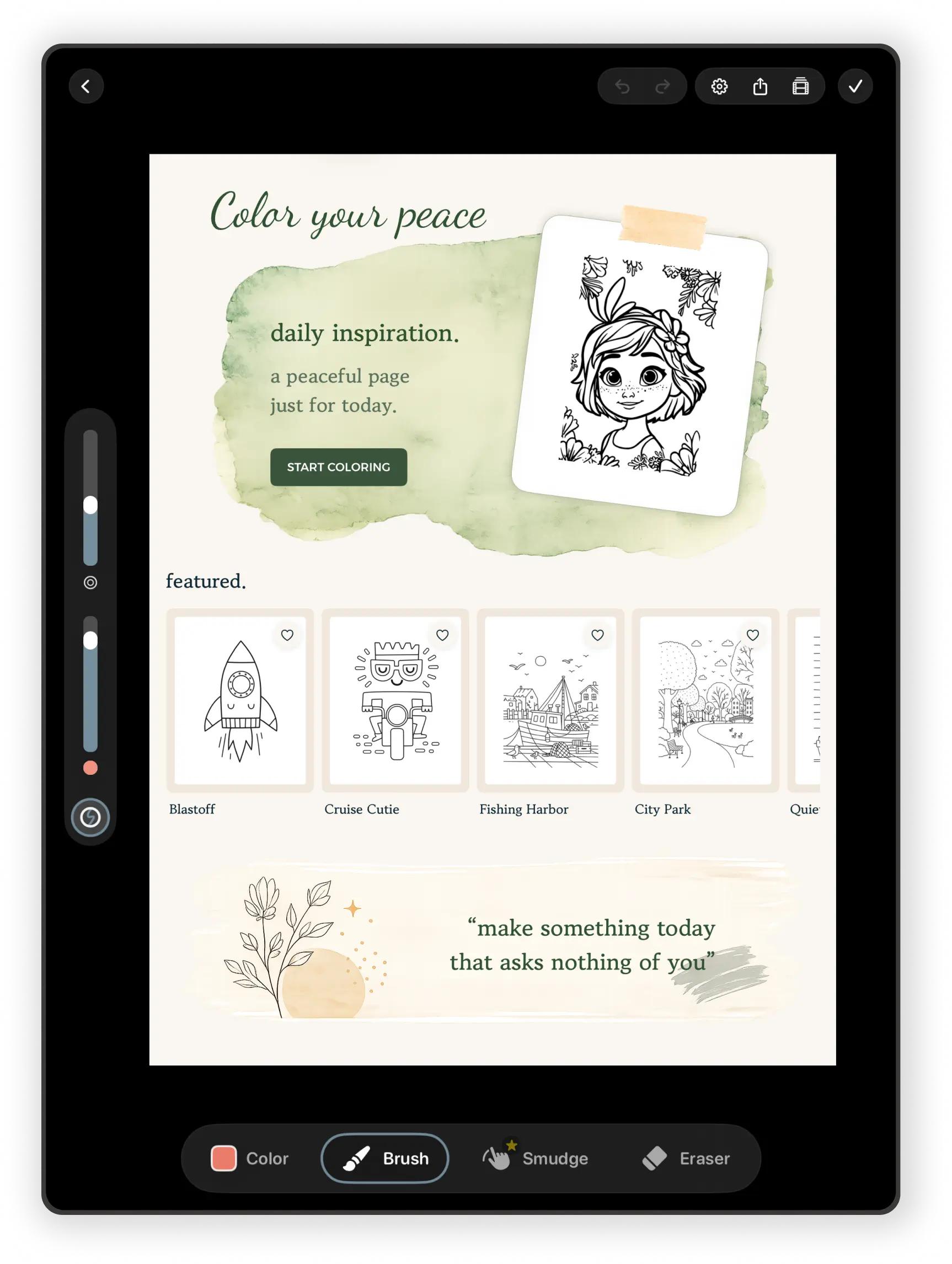
  • Continue and Recent rows
  • Favorites available to everyone
  • My Works separates in-progress and completed pages
  • Automatic saving and iCloud sync across your devices
Explore the digital library →
pau. home workspace showing daily inspiration, featured coloring pages, and drawing tools on iPad.
05 · Finish and share

Turn the whole session into something worth keeping.

Mark a page complete, save the finished image, or watch a time-lapse of every stroke coming together.
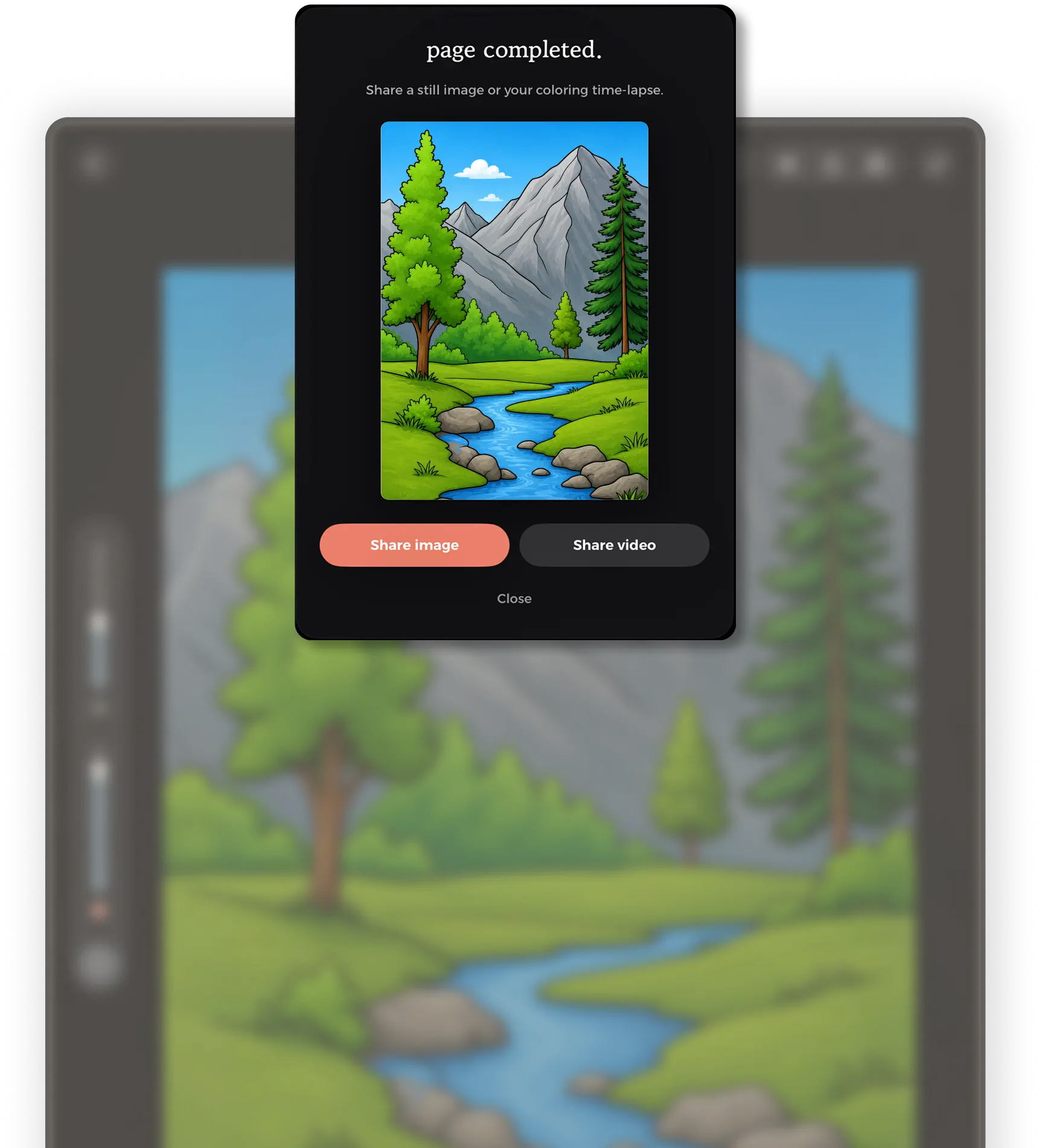
  • Completion flow and still-image sharing
  • Automatic time-lapse video
  • Free exports include a small pau. mark
  • Premium or the tools unlock removes the mark from stills and videos
pau. page-completed screen with still-image and coloring time-lapse sharing options.
Weekly drops

Fresh coloring pages every Friday.

New hand-drawn illustrations arrive each week, giving you a growing collection of relaxing pages to return to again and again.

~4
new pages every Friday
∞
undo · offline · auto-save
0
ads, ad trackers, accounts
Premium

Free to start.
Premium when you’re ready.

Enjoy a growing collection of coloring pages for free, or unlock the full pau. library with Premium.

Free

A calm introduction to digital coloring.

  • Free coloring pages with no time limit
  • Fill plus Hard Round, Soft Round, Fineliner, and Marker
  • A featured page every day
  • Scan your own drawings and make mandalas
  • Favorites, Continue, My Works, and iCloud sync
  • Rain and white-noise soundscapes
  • Still-image and time-lapse exports with a small pau. mark
Start Coloring

How billing works

The honest fine print, in one card. Apple handles it, we never see your card.

  • Premium is an App Store subscription. Any free trial and its length are shown before you confirm.
  • Prefer to pay once? The Unlock All Tools purchase keeps every brush, Blend, blank canvas, import, custom palettes, and clean exports, without the Premium library.
  • Cancel anytime in your App Store settings.
Read the terms
Questions

Small answers
to thoughtful questions.

Everything you might want to know before settling in for a quiet coloring session.

Can't find what you're looking for? We answer every email personally — hello@colorwithpau.com.

pau. is a calm coloring app for iPad and iPhone. You color hand-drawn pages with Apple Pencil or your finger, using real-feeling brushes, without ads, accounts, or social feeds.
Yes. The free version includes a set of free coloring pages with no time limit, a featured page each day, Fill plus the Hard Round, Soft Round, Fineliner, and Marker brushes, four erasers, page palettes, the scan-a-drawing and mandala tools, Favorites, and My Works. Premium unlocks the full library, 53 more brushes, three Blend tools, blank canvases, image import, custom and photo palettes, and exports without the pau. mark.
Yes. Strokes respond to Apple Pencil pressure, and tilt shapes the mark on compatible Pencils and brushes. You can also draw with your finger, and two-finger tap undoes your last stroke.
Yes. pau. runs on iPhone and iPad with iOS or iPadOS 18.6 or later. It was designed on iPad first, and the larger screen still gives you the most room, but the full app works on iPhone too.
Yes. New hand-drawn pages arrive every Friday, usually about four at a time, and a featured page is picked each day.
Yes. You can scan a drawing on paper or pick a photo of one, and pau. turns it into a page you can color. Scanning happens on your device and is free. With Premium or the one-time tools unlock you can also start from a blank canvas or import a coloring page image (PNG, JPEG, HEIC, or TIFF). You can also build your own mandalas for free.
Yes. Pages you have opened stay on your device, so you can color without a connection. Importing a coloring page image needs an internet connection.
pau. is designed primarily for adults and anyone looking for a calmer, more mindful creative experience. The illustrations range from minimal, easy pages to detailed ones.
No. Fill and stay-inside-the-lines clipping do the careful part for you, so you can color whether you do it every day or haven't picked up a creative hobby in years.
Yes. Every page saves automatically as you color. With iCloud, your artwork, palettes, favorites, and completed pages also stay in sync across your devices.
Premium is an App Store subscription. It unlocks the full library, all 57 brushes, the Blend tools, blank canvases, image import, custom and photo palettes, every soundscape, and exports without the pau. mark. If you would rather pay once, the Unlock All Tools purchase gives you the brushes, Blend tools, blank canvases, import, custom palettes, and clean exports for good, without the Premium page library.
Yes. You can manage or cancel your subscription anytime through your Apple App Store settings.
No ads and no ad tracking. pau. uses privacy-focused, pseudonymous analytics and crash reports to keep the app working, which our privacy policy describes in full.
Many people use pau. as part of an evening wind-down or a short break away from scrolling. Coloring can be a gentle way to relax and focus, though it is not a replacement for professional mental health support.
No. There is no sign-up. Open the app and start coloring.
Download

Put the iPad
down, gently.

Trade endless scrolling for a few quiet minutes of coloring — pau. helps you slow down without asking for anything back.