The adult coloring app made for iPad.
Hand-drawn pages, 57 brushes that respond to Apple Pencil, and new pages every Friday. No ads, no account, no feed. Now on iPhone too.

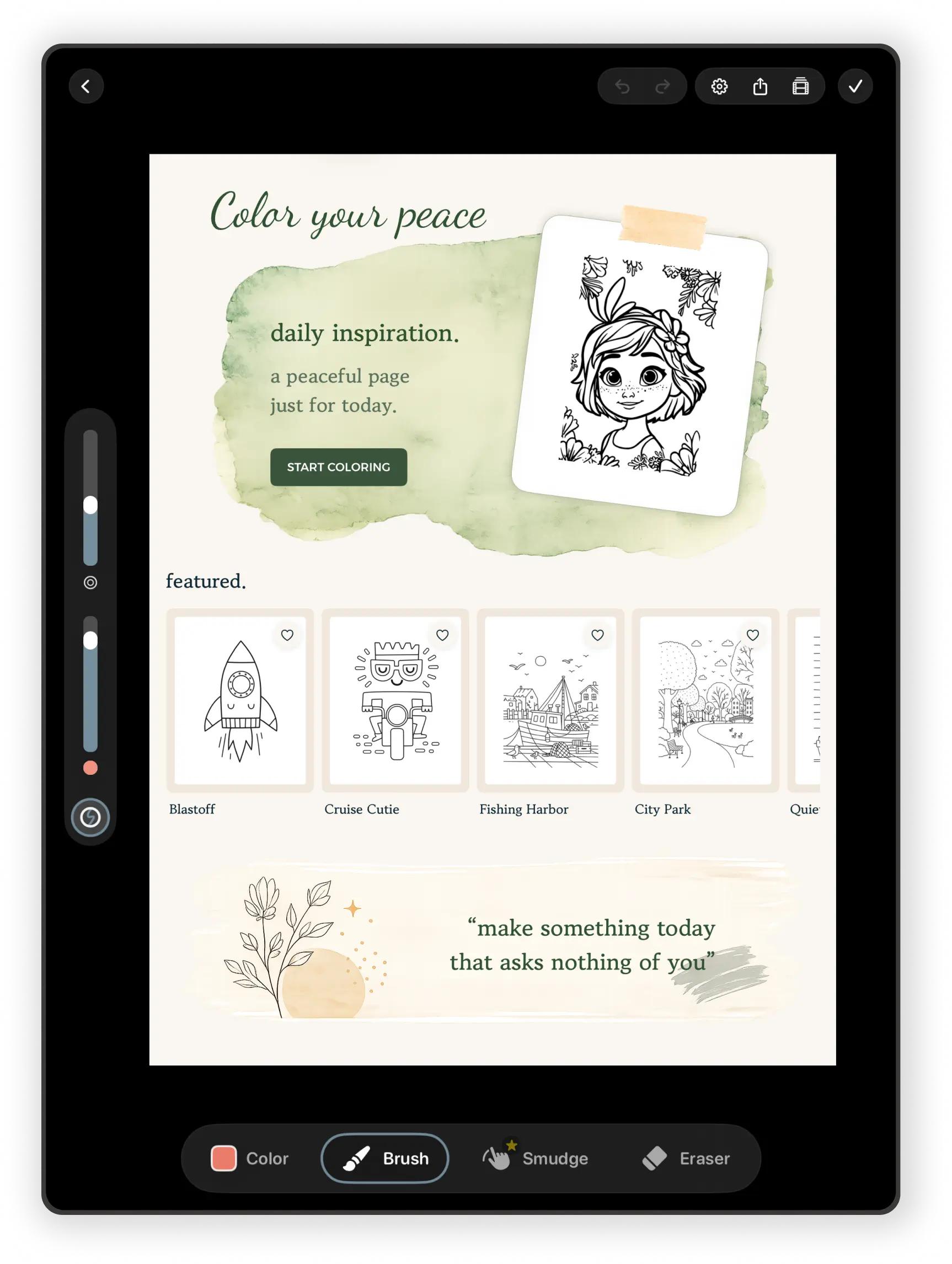
What coloring in pau. is like
You open the app and today's featured page is waiting. Pick it, or something from the library, and start coloring. There's no sign-up, no streak to keep, and nothing asking you to share.
Fill a region with one tap, or color by hand with a brush. Stay-inside-the-lines clipping keeps a stroke inside the area you started in, so you can be loose without making a mess. Every stroke saves as you go, and the page waits for you if you stop halfway.
When you finish, pau. plays back the whole session as a time-lapse. Keep it, send it to a friend, or don't. It's yours either way.
What's free, and what Premium adds
The free version isn't a trial. You can keep coloring free pages with the free brushes for as long as you like. Premium is an App Store subscription, and if you'd rather pay once, the Unlock All Tools purchase gives you every tool without the Premium page library.
| Feature | Free | Premium |
|---|---|---|
| Coloring pages | A set of free pages with no time limit, plus a featured page each day | The full library of 160+ pages and every weekly release |
| Brushes | Fill plus Hard Round, Soft Round, Fineliner, and Marker | All 57 brushes: pencils, charcoal, ink, gouache, oils, watercolor, textures |
| Blending | — | Gouache Blender, Textured Blender, Watery Brush |
| Erasers | 4 eraser tips | 11 eraser tips |
| Colors | Page palettes, color wheel, recent colors, eyedropper | Custom palettes and palettes made from a photo |
| Your own pages | Scan a paper drawing, mandala maker, duplicate artwork | Blank canvases and coloring page import |
| Soundscapes | Rain and white noise | Ocean and brown noise too |
| Exports | Stills and time-lapse videos with a small pau. mark | Without the mark |
| Saving | Auto-save, offline, iCloud sync | Same |
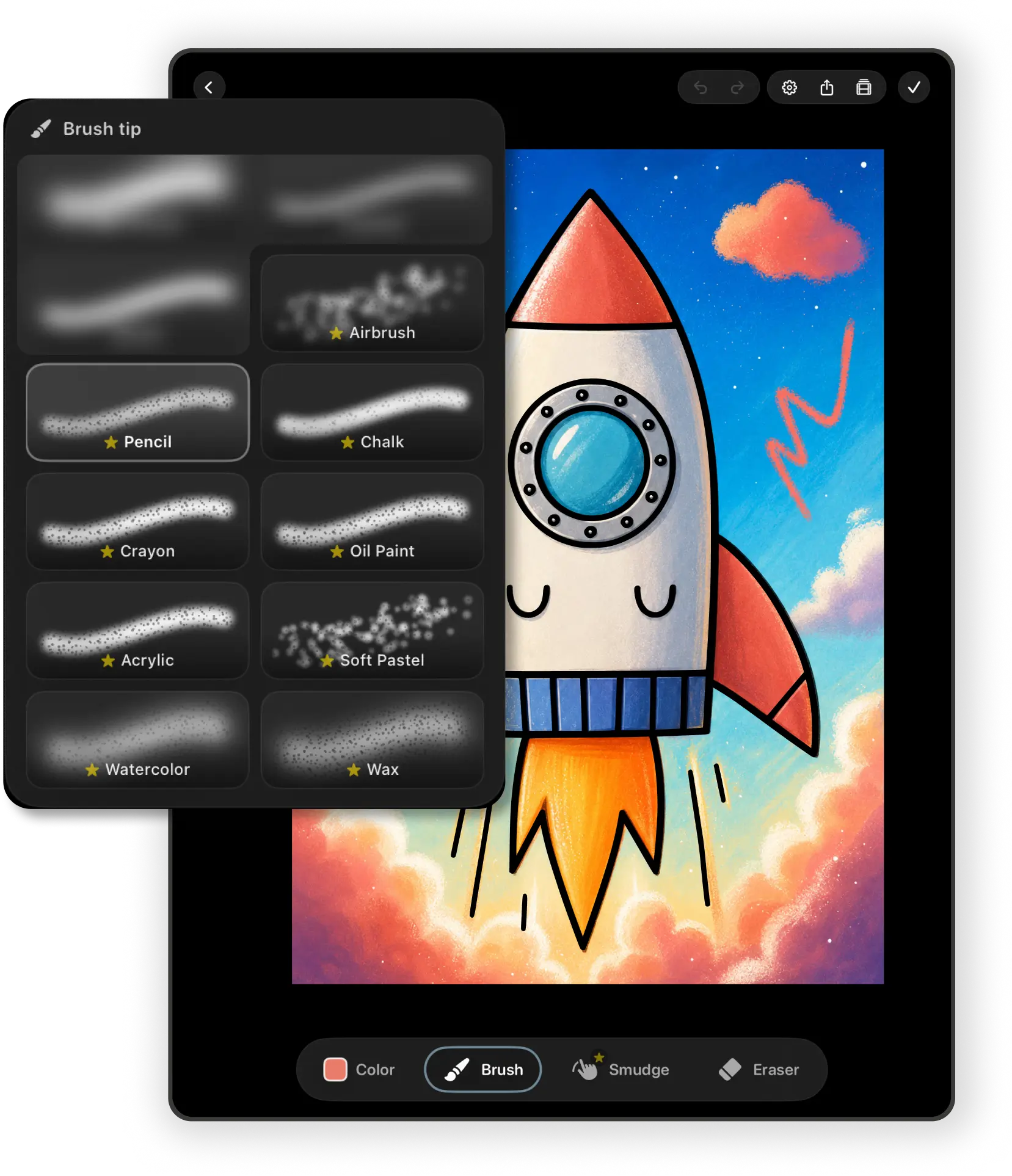
Made for Apple Pencil, fine with a finger
Press lightly and a watercolor brush lays down a thin wash. Press harder and it loads more paint. Tilt a compatible Pencil and brushes that read tilt change their mark, like shading with the side of a pencil. The painting brushes mix like pigment, so blue worked into yellow turns green, not grey.
No Pencil? Turn on finger drawing. Two fingers tap to undo, and pinch, pan, and rotate still work.
There's a longer explanation of how pau.'s brushes work with Apple Pencil.
How pau. compares to other coloring apps
Pigment has a much bigger library and more brush settings. Choose it if you want maximum control and don't mind a busier screen.
Lake focuses on artwork from named illustrators. Choose it if the artist behind the page matters most to you.
Happy Color is color-by-number. Choose it if you want to tap and switch off, and ads don't bother you.
pau. is the quiet one: a smaller, slower-growing library, real brushes, and nothing competing for your attention. We compared ten apps honestly, including where pau. falls short, in our guide to the best coloring apps for iPad.
What you need
An iPad or iPhone running iPadOS or iOS 18.6 or later. An Apple Pencil is optional. Pages you've opened stay on your device, so you can color offline. With iCloud turned on, your artwork, palettes, and favorites sync between your devices.
Want a calmer routine around it? Read our guide to mindful coloring, or browse the collections in the app.
Questions
Is pau. a good coloring app for iPad?
pau. is built for people who want calm, hand-colored pages rather than color-by-number. It has no ads or account, real brushes that respond to Apple Pencil pressure, and new hand-drawn pages every Friday. If you want a very large library or tap-to-fill coloring, apps like Pigment or Happy Color may suit you better.
Is pau. free?
Yes. You can color free pages with Fill and four brushes for as long as you like. Premium adds the full library, 53 more brushes, Blend tools, blank canvases, import, and clean exports.
Is there a way to pay once instead of subscribing?
Yes. The Unlock All Tools purchase is a one-time purchase that keeps every brush, the Blend tools, blank canvases, coloring page import, custom palettes, and watermark-free exports. It does not include the Premium page library.
Does pau. work on iPhone?
Yes. pau. runs on iPhone and iPad with iOS or iPadOS 18.6 or later. It was designed on iPad first, so the bigger screen gives you the most room.
Do I need an Apple Pencil?
No. You can color with your finger, and two-finger tap undoes your last stroke. Apple Pencil adds pressure and, on compatible models, tilt.
A quieter kind of screen time.
Download pau. and color your first page today. It's free to start.